RCS for Business: your verified brand inside the phone messaging app
RCS for Business at CINNDI: messages with your company name, logo and verification badge, inside the messaging app already installed on the device.
What you get
- Verified business agent
- Name, logo and brand color in the conversation
- Card with image, text and buttons
- Carousel of products and services
- Suggested replies in one tap
- Actions to call, open a site and view a map
- Sending over API, like the other channels
- Delivery and read receipts
- Conversation in the same team panel
- History alongside the other channels
- AI service with handover to a human
Where RCS is used
- Verification code and access confirmation
- Order confirmation and delivery status
- Invoice, billing and duplicate notices
- Scheduling and appointment reminders
- Support with ready answers and handover
- Campaigns with a catalog and a buy button
Veja a mensagem e a campanha
É assim que a mensagem chega no celular
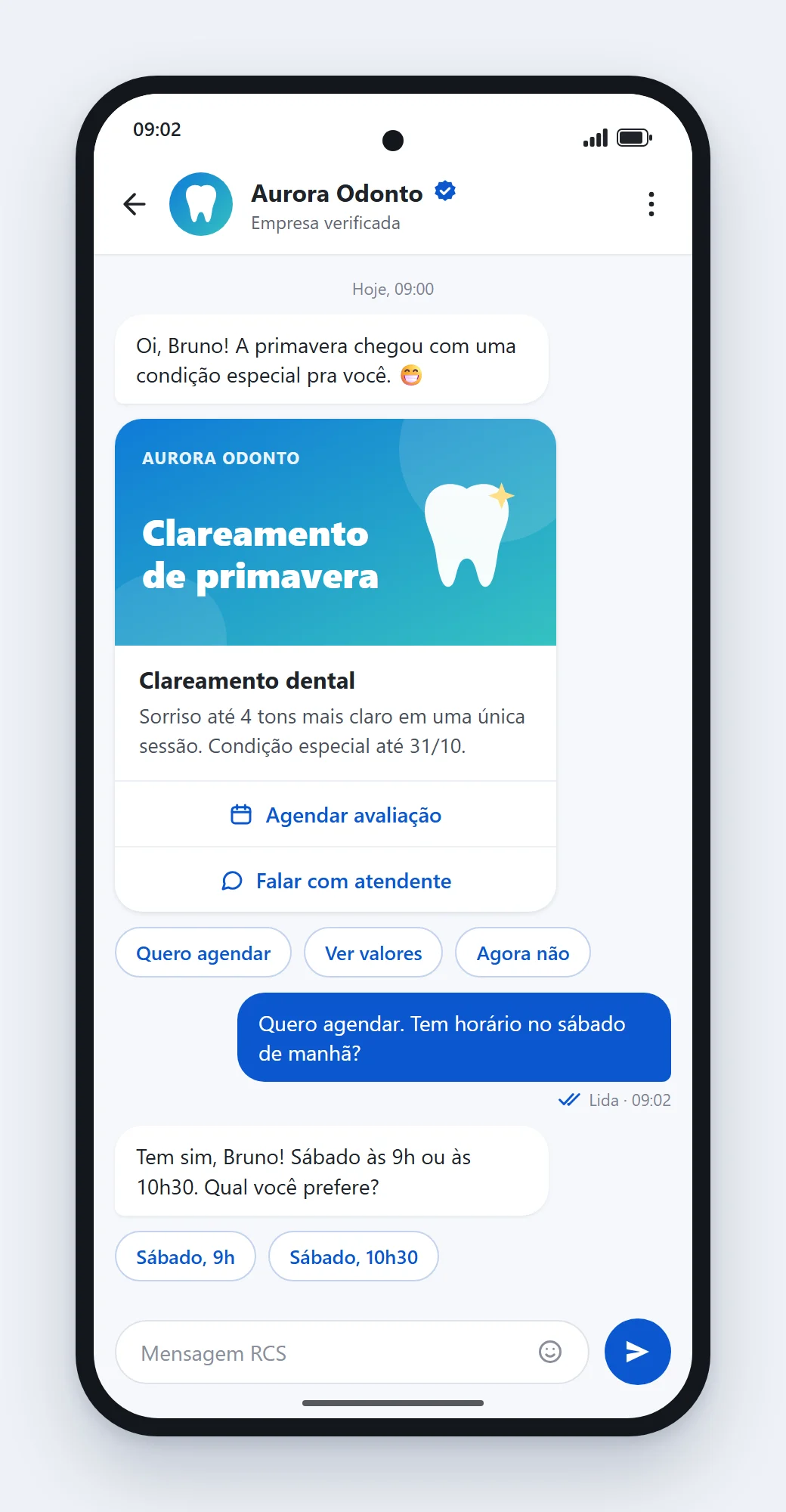
No aplicativo de mensagens que já vem no aparelho, o cliente vê o nome e o logotipo da sua empresa com o selo de verificada. A mensagem vem em cartão, com imagem, texto e botões, e ele responde com um toque nas opções sugeridas. A imagem ao lado é uma ilustração.
Você monta a campanha e vê a prévia
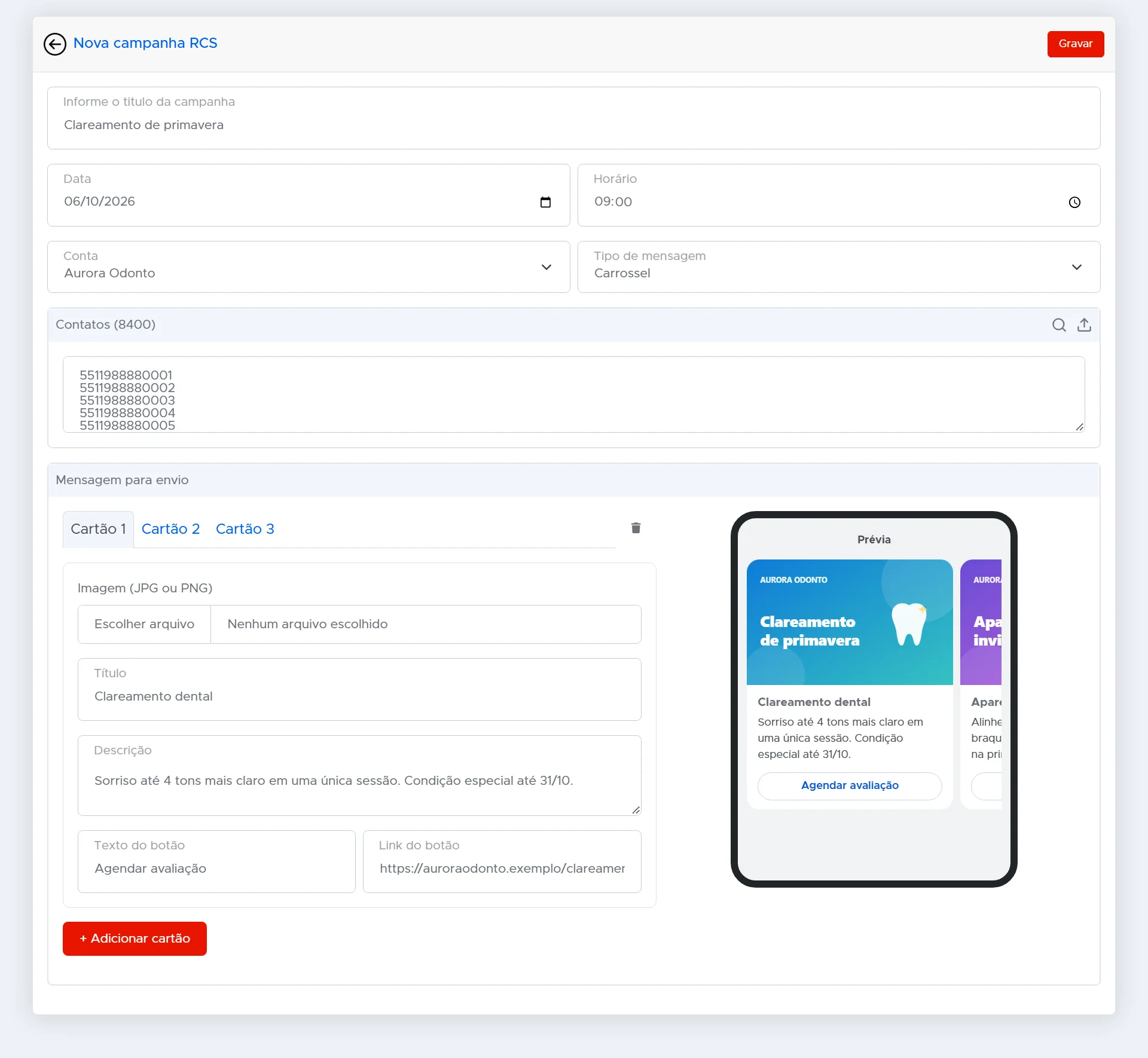
Dê um título, escolha a data e a hora, a conta de envio e a lista de contatos. Monte a mensagem em texto, imagem, cartão ou carrossel: para cada cartão, a imagem, o título, a descrição e o botão. A prévia ao lado mostra como vai ficar no celular antes de enviar.
Cada campanha mostra o que entregou
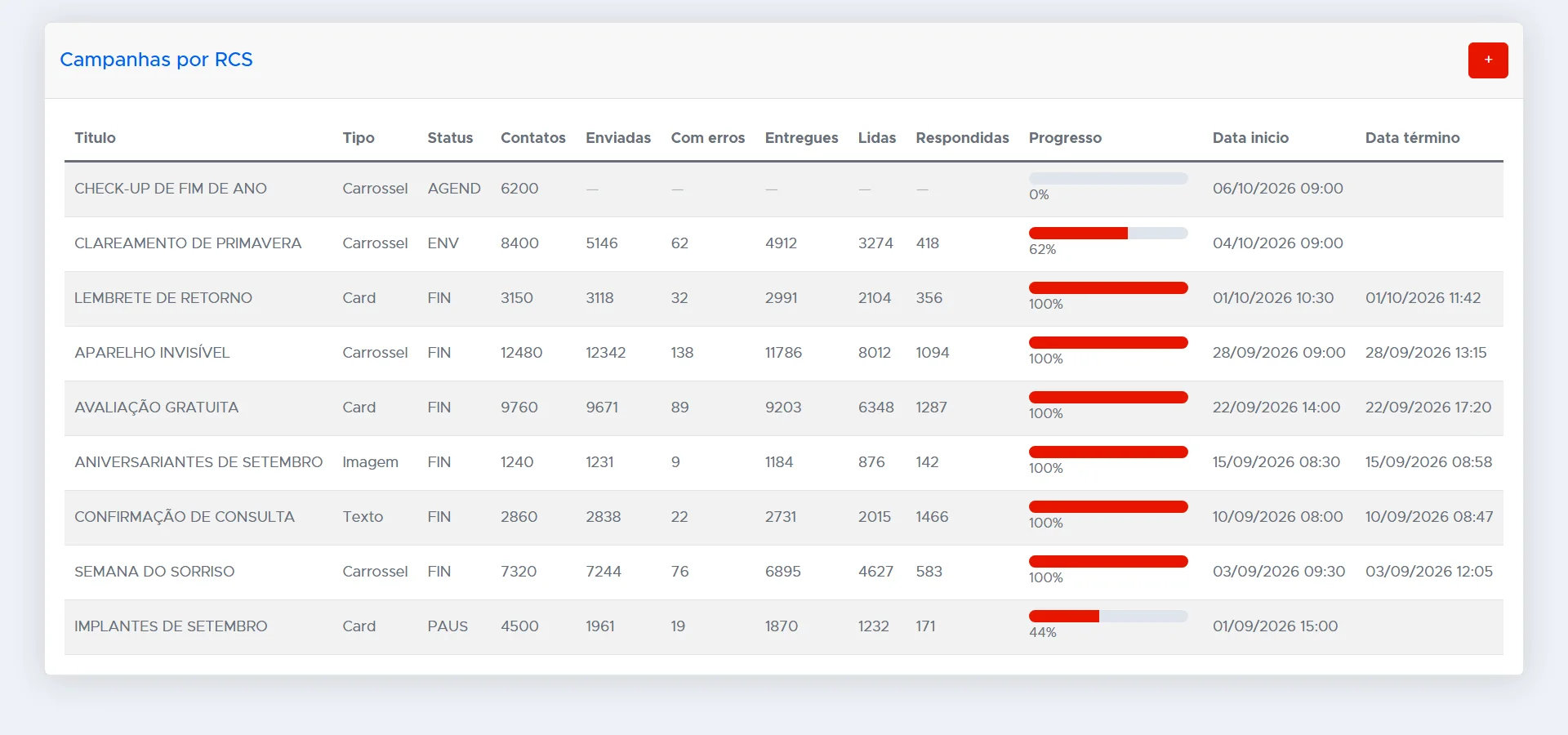
Agendada, enviando, finalizada ou pausada. Para cada campanha você acompanha os contatos, as mensagens enviadas, entregues, lidas e respondidas, e o andamento do envio.
O relatório mostra quem leu e quem respondeu
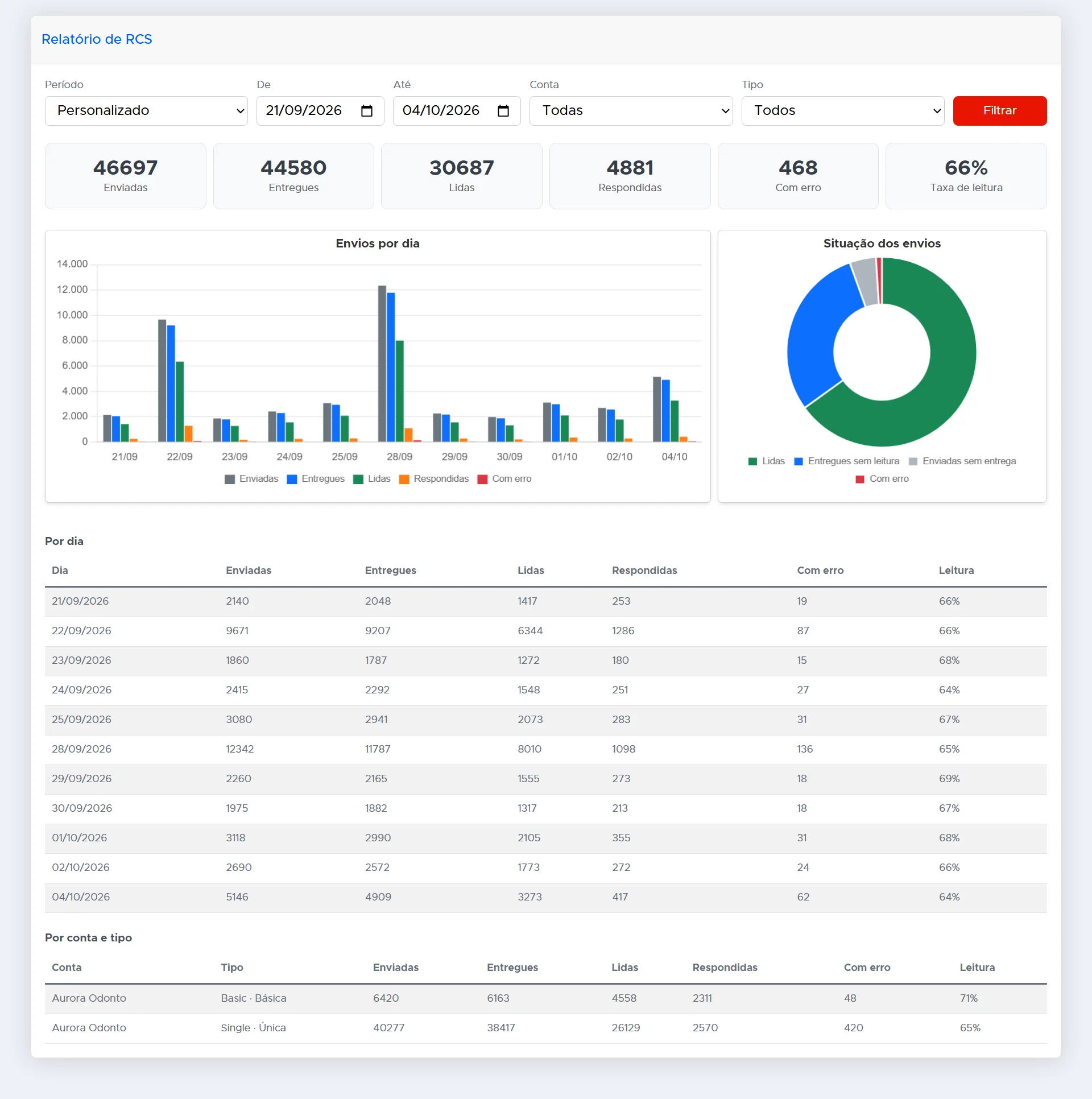
Total de mensagens enviadas, entregues, lidas e respondidas no período, a taxa de leitura, os envios por dia e o resultado por conta e por tipo de mensagem.
A plain message does not say who is talking
The message arrives from an unknown number and the customer cannot tell if it is your company or a scam.
It is 160 characters, no image and no button: to reply, the person has to call or type back.
With no read receipt and no conversation, the team has no idea what happened after sending.
A verified channel, served by the same team
RCS for Business (RBM) works inside the messaging app that comes with the device. The company shows up with its name, logo and verification badge, and the customer reply lands in the same queue where the team already handles WhatsApp, Instagram, Messenger and Telegram. All of this is already integrated at CINNDI.
O que a sua empresa ganha
Sua marca identificada
Nome, logotipo e selo de verificação: o cliente sabe quem está falando antes de abrir.
Mensagem que vende
Imagem, botões e carrossel no lugar de um texto solto com link.
Resultado medido
Entrega, leitura e resposta de cada campanha, com a conversa seguindo no mesmo painel da equipe.
Common questions
Is RCS already available at CINNDI?
Yes. RCS for Business is already available at CINNDI, in the same panel where the team handles the other channels.
What is the RCS business agent?
It is the verified company profile inside RCS: name, logo, description, website and phone, approved by Google and the carrier. Messages go out through it and it is what the customer sees in the conversation.
Which message types does RCS support?
Plain text, rich messages with image and card, carousels of several cards and, in any of them, suggested replies and actions such as calling, opening a website or viewing an address on the map.
Is there an API to send?
Yes. Sending uses the same platform API, in the same standard as the other channels, recording delivery and replies in the contact history.
Does it work on iPhone?
Yes. RCS is the standard in the Android messaging app and now works on iPhone too, in the Messages app. Carriers are rolling out RCS for Apple devices.
Want to see this running in your operation?
Our team shows the platform working with your own case, no fluff.